
A truly minimal and straightforward admin menu manager for WordPress. Hide, reorder and rename menu items directly in your WordPress backend – no bloat, no unnecessary options, no hassle. Changes apply instantly — all settings are stored cleanly in a single database option.
This plugin is especially useful if you manage WordPress sites for clients, work with a cluttered admin menu, or simply want a cleaner and more focused backend experience.
-
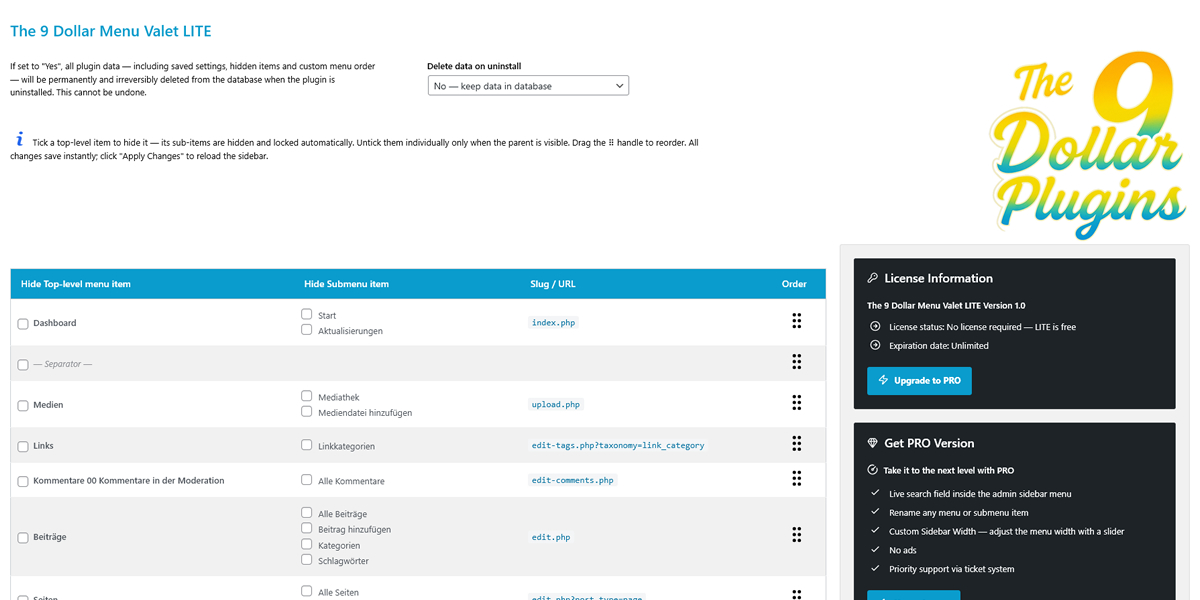
- Dashboard view
-
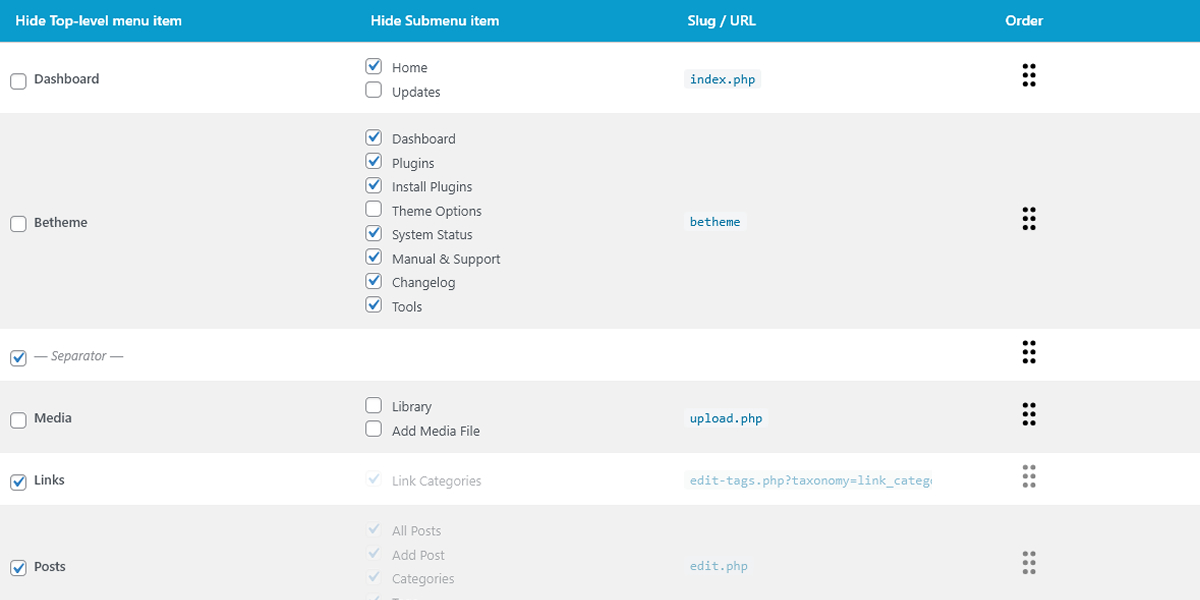
- Table view
-
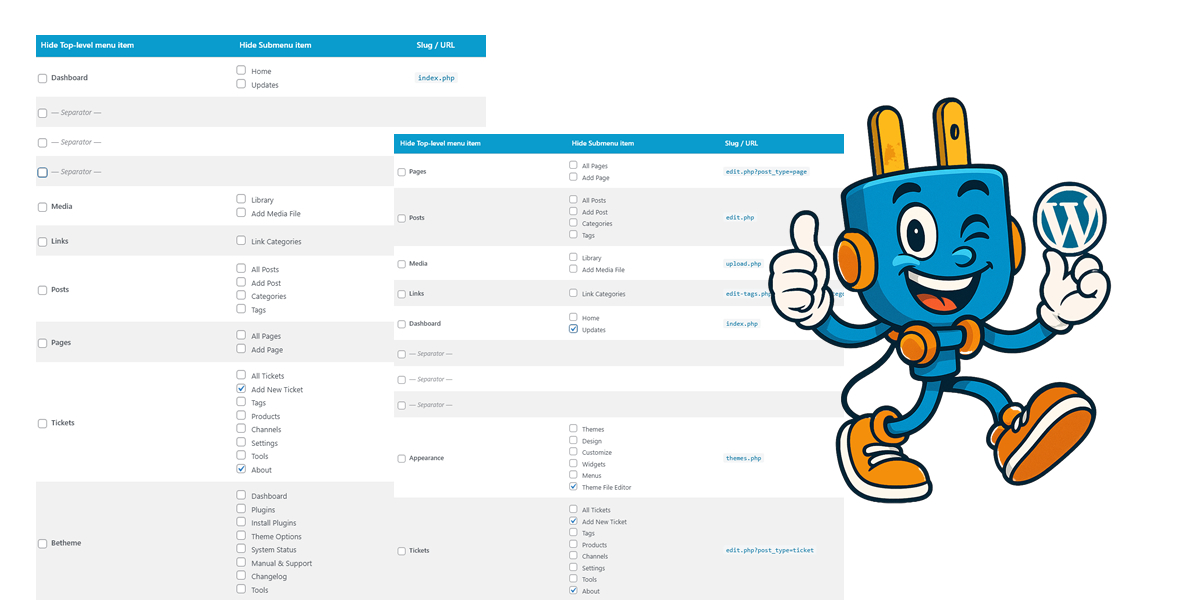
- Sort menus your way
-
- The 9 Dollar Menu Valet
About The Plugin
The 9 Dollar Menu Valet is designed for WordPress users who need a straightforward, reliable way to manage their admin menu – without bloat or complex configuration. Unlike bulky admin management plugins, this plugin keeps everything lean, fast and completely under your control.
The plugin lets you hide any top-level or submenu item with a simple checkbox, and reorder the entire menu via intuitive drag & drop. All changes are saved instantly in the background via AJAX. Once you're happy with your setup, a single click on the "Apply Changes" button reloads the sidebar to reflect your new configuration.
For power users and agencies, the PRO version unlocks three essential features: a live search field injected directly into the admin sidebar for instant menu filtering, the ability to rename any menu or submenu item, and a slider to adjust the sidebar width beyond the WordPress default. Priority support via ticket system is also included.
All settings are stored in a single WordPress option in the database — clean, lean and fully portable. There are no separate database tables, no file writes, no external service calls. You can optionally configure the plugin to delete all data on uninstall, leaving absolutely no trace behind.
The responsive admin interface features a sortable menu table with clear visibility of all hidden and renamed items. A sticky status bar keeps you informed of every save operation, and the "Apply Changes" button reloads the sidebar the moment you're ready.
The LITE version is free forever and covers the essentials. The PRO version is available for a small annual fee and adds the power features. No bloat, no unnecessary complexity – just a clean, efficient admin menu manager that does exactly what you need. Perfect for agencies, developers, and anyone who wants a cleaner, more focused WordPress backend.
Key Features
Hide Top-level Items
Tick any top-level menu item to hide it from the admin sidebar instantly. Hidden items and all their sub-pages are removed cleanly — no traces left in the navigation.
Hide Submenu Items
Hide individual submenu entries independently — as long as the parent item is visible. Submenu checkboxes lock automatically when the parent is hidden, preventing conflicts.
Drag & Drop Reorder
Grab the handle on any row and drag it to the position you want. The new order is saved instantly and applied to the WordPress admin sidebar on the next page load.
Instant AJAX Save
Every change — hiding, showing, reordering — is saved in the background via AJAX the moment you interact. Hit "Apply Changes" once you're done to reload the sidebar.
Clean Uninstall
Optionally delete all plugin data from the database when uninstalling. No leftover options, no ghost entries — the site is left exactly as it was before installation.
Live Search in Sidebar PRO
Adds a live search field directly at the top of the WordPress admin sidebar. Start typing to instantly filter all menu and submenu items — ideal for sites with long, cluttered menus.
Rename Menu Items PRO
Rename any top-level or submenu item to whatever makes sense for your workflow or your client. The original label is preserved and shown as a tooltip for reference.
Custom Sidebar Width PRO
Adjust the WordPress admin sidebar width beyond the default 160px using a simple slider. Changes apply immediately across the entire backend — no CSS editing required.
Priority Support PRO
PRO users get direct access to our ticket system for fast, personal support. Skip the forum queue and get your issues resolved quickly by our team.
LITE vs. PRO Comparison
| Feature | LITE | PRO |
|---|---|---|
| Hide top-level menu items | ✓ | ✓ |
| Hide submenu items individually | ✓ | ✓ |
| Drag & drop menu reordering | ✓ | ✓ |
| Instant AJAX save | ✓ | ✓ |
| Responsive admin interface | ✓ | ✓ |
| Optional data deletion on uninstall | ✓ | ✓ |
| Clean single-option database storage | ✓ | ✓ |
| Live search field in admin sidebar | ✗ | ✓ |
| Rename menu items | ✗ | ✓ |
| Rename submenu items | ✗ | ✓ |
| Custom sidebar width via slider | ✗ | ✓ |
| No advertisements | ✗ | ✓ |
| Priority support via ticket system | ✗ | ✓ |
Use cases
The WordPress Agency Managing Client Sites
If you build and maintain WordPress sites for clients, you know the problem: every install comes with a cluttered admin menu full of items your clients don't need — and shouldn't touch. This plugin is perfect if you're looking for a simple way to clean up the WordPress backend for non-technical users.
Hide irrelevant menu items per site, rename confusing labels to something your client actually understands, and adjust the sidebar width so nothing wraps awkwardly. The setup takes minutes and makes a huge difference in how professional and focused the backend feels for your clients.
The Developer Who Hates a Cluttered Backend
You're working on a site with 20 active plugins. The admin menu is a disaster — SEO tools, WooCommerce sub-pages, maintenance items, plugin settings you touch once a year. This plugin is the answer if you're searching for a WordPress plugin to hide admin menu items or reorder the WordPress sidebar without writing custom code.
Drag everything into a logical order, hide the noise, and add a live search field so you can jump to any section in seconds. Your own backend, finally under control.
The Shop Owner Running WooCommerce
"I just want to see Orders, Products and Reports — nothing else"
Maria runs a mid-sized WooCommerce store. Her admin menu has over 30 items. She hides everything irrelevant to her daily work, renames "WooCommerce" to "My Shop" so it feels familiar, and sets the sidebar a little wider so her long product category names stop wrapping. Now she logs in, sees exactly what she needs, and gets out faster. No developer needed, no code touched.
readme.txt
=== The 9 Dollar Menu Valet ===
Contributors: the9dollarplugins
Donate link: https://www.the-9-dollar-plugins.com
Tags: admin menu, hide menu items, menu manager, admin sidebar, reorder menu
Requires at least: 5.5
Tested up to: 6.9
Requires PHP: 7.4
Stable tag: 1.0
License: GPLv2 or later
License URI: https://www.gnu.org/licenses/gpl-2.0.html

Take full control of your WordPress admin sidebar: hide items with a click, reorder them via drag & drop, and rename them to fit your workflow.

== Description ==

Take full control of your WordPress admin sidebar — without touching a single line of code. Hide any menu item with a checkbox click, reorder everything via drag & drop, and keep your backend clean and focused.

**Core Features**

- See all admin menu items and their sub-menus in one overview
- Hide any menu item with a single checkbox click (Ajax, instant)
- Reorder menu items via drag & drop (Ajax, instant)
- Changes apply for all admin users with `manage_options`
- Lightweight — no bloat, no external dependencies

= How It Works =

1. Install and activate the plugin.
2. Go to **Menu Valet** in your WordPress admin sidebar.
3. Tick the checkbox next to any menu item to hide it.
4. Drag the ⠿ handle to reorder — saved automatically.

== Screenshots ==

1. Dashboard view
2. Table view: showing all menu items with hide checkboxes and drag handles
3. Mobile-responsive table view

== Installation ==

1. Upload the plugin folder to `/wp-content/plugins/` or install via the WordPress Plugins screen.
2. Activate the plugin.
3. Open **Menu Valet** in your WordPress admin sidebar.
4. Check items to hide them, drag to reorder — done.

== Frequently Asked Questions ==

= Will hidden menu items still be accessible via direct URL? =
Yes. This plugin only hides items visually. It does **not** change capabilities or block direct URL access.

= Does it work with custom post types and third-party plugin menus? =
Yes. Every item registered in the WordPress `$menu` and `$submenu` globals is supported.

= I accidentally hid the Menu Valet itself — what do I do? =
Navigate directly to `wp-admin/admin.php?page=the-9-dollar-menu-valet`.

= Can I rename menu and submenu items? =
Yes — with PRO. Click Rename on any item to edit its label inline. The original name is always preserved and shown as a tooltip for reference.

= Can I adjust the width of the admin sidebar? =
Yes — with PRO. A live slider lets you set any width from 160 px up to 380 px. Changes apply immediately across the entire backend.

== Changelog ==

= 1.0 - 2026-02-22 =
* Initial release.
* Hide admin menu items via checkbox (Ajax).
* Reorder admin menu items via drag & drop (Ajax).
* PRO: Live search field in the admin sidebar.
* PRO: Rename any menu or submenu item inline.
* PRO: Custom Sidebar Width — live slider from 160 px to 380 px.
* REST API endpoints for headless/programmatic access.
* Full i18n support
Feature Request, Ideas
Your idea could shape the next update. Share a feature you'd love to see and help decide what we build next
Submit your idea...